Phone Case with Card Holder and Kickstand for Travel: 2026 Buyer’s Guide
Disclosure: This post may contain affiliate links. We may earn a commission on qualifying purchases at no extra cost to you.
Who Needs a Phone Case with Card Holder and Kickstand for Travel?
You’re a traveler, freelancer, or commuter who’s tired of juggling a phone, a thin wallet, and a prop for video calls. You want one unified piece of gear that holds your ID and one credit card, lets you prop your phone up for navigation or a hands-free video, and doesn’t feel like you’re carrying a brick. You probably fly a few times a year, spend time in coffee shops with your phone propped up, and appreciate minimalism—one item doing three jobs beats a pocket full of singles.
What Makes These Cases Different From Each Other?
Not all card-holder kickstand cases are built the same. The main variables: card capacity (2 cards vs. 5), material blend (full TPU vs. hard plastic frame), stand stiffness (does it hold at all angles or just a few?), bulk (slim or chunky?), and card slot security (will your ID fall out on a bumpy flight?). You also need to know whether the case supports wireless charging and how well it resists daily scratches.
This matters because a case built for construction workers (all-terrain, super thick) isn’t the same as one built for business travelers (thin, minimal, slim enough for a carry-on suitcase pocket). Most people misjudge how much extra thickness they’ll tolerate in real life.
The Core Trade-Offs
Capacity vs. Bulk: A 5-card case is heavier and thicker. You probably only need 2-3 cards (ID, credit card, maybe transit). Choosing 5 slots because “just in case” adds ~10-15 grams and 5mm of thickness you’ll feel every day.
Stand Stiffness vs. Flexibility: A rigid integrated kickstand works great at one or two angles but can feel flimsy if you’re trying to tilt it. An articulated or weighted base is more flexible but adds weight and cost.
Material Durability vs. Appearance: TPU (rubber-like) ages faster and yellows in sunlight but absorbs impacts beautifully. Hard polycarbonate with TPU edges is the practical sweet spot—it scratches less and stays looking newer longer, but a drop from waist height is less forgiving than pure TPU.
| Case Type | Best For | Card Capacity | Material | Thickness | Best Feature |
|---|---|---|---|---|---|
| Slim Hybrid (PC + TPU) | Light travelers, minimalists | 2–3 cards | Hard back + rubber edges | ~4–5mm | Balanced: drop protection + slim pocket fit |
| Full TPU | Clumsy users, max impact protection | 2–4 cards | Flexible rubber throughout | ~5–7mm | Shock absorption; ages faster |
| Leather + Card Slot | Business travelers, aesthetics | 2–3 cards | Premium leather / PC back | ~5–6mm | Premium look; needs conditioning |
| Heavy-Duty Hybrid (Rugged) | Construction, outdoor, adventure | 3–5 cards | Thick PC + heavy TPU + armor | ~8–10mm | Maximum durability; very chunky |
| Magnetic Detachable Wallet | Flexible travelers, minimal daily carry | 3–6 cards (detachable) | PC case + fabric wallet | ~5mm (case only) | Wallet detaches; can lose it |
Kickstand: Angled, Rotating, or Rigid?
The kickstand is where function meets compromise. A simple fixed tab at one angle (usually around 50 degrees) works fine for landscape video and navigation but feels limiting if you want to prop your phone for a close-up selfie or tilt it slightly. A rotating or double-hinged stand is more flexible but adds weight and a potential failure point. Rigid integrated stands (molded into the back) are slimmer and lighter but can’t adjust.
Most travelers are fine with a fixed stand at one good angle. If you’re shooting content or propping your phone frequently at various heights, look for a dual-hinge or rotating model—but accept that it’ll add 20-30 grams and feel less streamlined.
- One item replaces phone + wallet + prop
- No fumbling for cards at checkout while traveling
- Hands-free video calls in hotel rooms or cafes
- Lightweight compared to a small crossbody bag
- Easy to organize: cards stay in one place, less loss risk
- Thicker and heavier than a bare case (10-20g extra)
- Limited card capacity (2-4 cards typical); not a full wallet
- Card slot wear over months; might need replacement
- Kickstand can feel cheap or wobble if low-cost
- Fewer color/style options than plain cases
Material Quality: What Actually Lasts?
Polycarbonate (hard plastic) + TPU (flexible rubber edges) is the proven durability winner for travel. It resists scratches better than pure TPU, absorbs drops without shattering (unlike all-plastic), and doesn’t yellow or accumulate lint as fast. Real leather looks premium but requires occasional conditioning and isn’t scratch-resistant. Silicone feels nice but degrades in sunlight and lint-traps like crazy.
If your case will spend time in a beach bag, hiking pack, or daily commute for a year, PC + TPU wins. If you swap cases every 6-12 months or only lightly use it, pure TPU is fine and often cheaper. Leather is a lifestyle choice—it looks sharp at a business meeting but isn’t more durable.
Card Slot Durability: Real Issue or Hype?
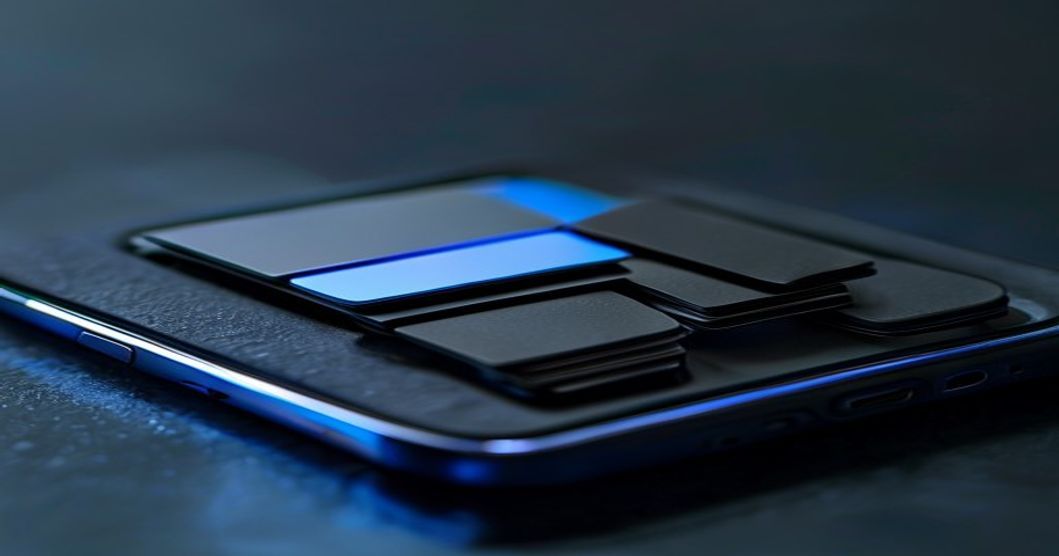
Card slots do wear with heavy use, but “wear” usually means the fit loosens slightly over 12-24 months of regular insertion and removal. Budget cases with thin, poorly-cut slots show wear faster. Quality cases with reinforced slots hold tight for 2+ years. The best insurance: avoid overstuffing (don’t cram 5 cards into a 2-card slot) and periodically remove and reinsert cards to check the fit. If a card starts slipping, you haven’t ruined the case—just use a thin adhesive liner or accept that it’s time to refresh.
Wireless Charging: Check the Specifications
Most card-holder kickstand cases block wireless charging because metal or certain magnetic components are in the way. Some newer premium models explicitly state “wireless charging compatible.” If this matters to you, verify in the product listing before purchase. Many travelers don’t use wireless charging on trips anyway (hotels and cars have USB-C faster), so it’s worth asking whether it’s a must-have for your situation.
Real-World Travel Scenario
You’re at the airport security line. Your ID and one credit card are in your case. You’re through in 60 seconds. Later, in your hotel, you prop your phone with its built-in kickstand to video-call home—no searching for a pillow or towel to lean it against. At dinner, you tap your card directly from the case slot without opening a separate wallet. That’s the actual value: micro-convenience that adds up over two weeks away.
How to Choose Between These Options
Choose a Slim Hybrid (2-3 Cards, PC + TPU) If:
- You travel light and prioritize pocket/bag space
- You only carry ID + one credit card
- You want the case to feel “normal” size-wise
- You plan to use it for 1-2 years and replace it
Choose a Full TPU Case If:
- You’re clumsy or your phone takes real bumps
- Drop protection matters more than thinness
- You don’t mind extra weight and thickness
Choose a Leather + Card Slot If:
- You attend business meetings or formal events
- Aesthetics and feel matter as much as function
- You’re willing to condition and maintain it
Choose a Heavy-Duty Rugged Hybrid If:
- You work outdoors or in harsh environments (see our rugged case guide for deep detail)
- Card capacity and extreme durability trump bulk
- You want a case that lasts 3+ years
Choose a Magnetic Detachable Wallet If:
- You want maximum flexibility (attach/detach as needed)
- You sometimes travel without cards or carry extra cards
- You accept the small risk of detaching and losing the wallet
Who This Case Type Is For (And Who It Isn’t)
It’s Perfect For:
- Minimalist travelers: One item, not three. ID + card + kickstand in your back pocket.
- Freelancers and content creators: Hands-free phone prop for video calls in coffee shops or co-working spaces.
- Commuters: Fast access to transit pass or ID without opening a bag or wallet.
- Business travelers: Sleek, professional look; no bulky wallet to carry.
- People who value organization: Cards have a home; less chance of losing them.
It’s NOT for:
- People who carry 10+ cards: You need a real wallet, not a 3-card slot. This case will frustrate you.
- Phone minimalists who hate extra bulk: Even the slim options add 4-5mm. If a bare case is your preference, this isn’t it.
- Wireless charging enthusiasts: Most block charging. Verify compatibility or skip.
- People who swap cases weekly: You’ll get tired of moving cards around. Just carry a small bifold.
- Ultra-premium aesthetes: Mass-produced cases, even good ones, don’t feel as refined as high-end leather wallets or designer cases.
What to Check Before Buying
Read owner reviews mentioning: “Card stays in,” “held up after 6 months,” “feels sturdy,” “kickstand wobbles” or “solid.” Skip reviews that are just “great product” with no detail. Look for repeat comments about specific failures (e.g., “card slot loosened after three months”).
Verify phone compatibility: These cases are model-specific. iPhone 15 Pro ≠ iPhone 15. Double-check before adding to cart.
Check the return policy: If the case feels wrong in hand, you want to send it back. 30-day returns are standard on most online retailers.
Look at the exact kickstand angle: If the listing doesn’t specify degrees, check photos. A 45-60 degree angle is comfortable for most tasks. Anything steeper or shallower is a compromise.
Confirm wireless charging compatibility: Search the product title for “wireless charging” or read the specs. If it’s not mentioned, assume it’s blocked.
Real Comparison: Two Common Scenarios
Scenario A: Two-Week Europe Trip, Light Packer
You’re flying with one carry-on and a crossbody bag. You need ID, one credit card, and a backup debit card. Weight and bulk matter. A slim PC + TPU hybrid with 3-card slots and a fixed kickstand is your move. It fits your back jeans pocket if needed, adds minimal bulk to your bag, and keeps everything together. Done.
Scenario B: Business Travel + Home Office Video Calls
You’re in and out of meetings, client dinners, and video calls from your home office or hotel. Your phone props up for team calls. You want it to look professional. A leather case with an integrated card slot and dual-hinged stand gives you the aesthetic and flexibility. The weight is fine because it lives in your bag, not your pocket. You sacrifice card capacity but gain appearance.
Bottom Line: What Should You Actually Buy?
A slim hybrid case (2-3 card slots, PC + TPU build, fixed or single-hinge kickstand) is the practical default for most travelers. It’s a solid all-rounder: not too thick, drop-protective, holds the essentials, and rarely disappoints. Price-wise, expect to spend $20-40 for a decent one. If you find yourself wanting more storage or heavier protection, you’ve learned something for next time.
For video content creators or people who prop their phone constantly, add another $10-15 for a more flexible stand. For ultra-durable outdoor use, go heavier and accept the bulk. For pure aesthetics, leather is the upgrade—but maintain it.
The key is honest self-assessment: Do you really need 5 card slots, or does that just add weight you’ll resent daily? Will that fancy rotating stand actually get used, or will you use the single angle 95% of the time? A case that feels right in hand and pocket is a case you’ll actually use and not swap out in two months.
A slim polycarbonate and TPU hybrid case with 2-3 card slots and a fixed kickstand is the best all-rounder for travel. It saves space, protects your phone, keeps your cards organized, and props for calls—without feeling like you’re carrying extra bulk. Buy from a retailer with a solid return policy so you can verify it works for your hand and pocket before committing.
If you want to explore options on Amazon, browse current picks →
Further Reading
If you’re building out a full travel-tech setup, check our guides on phone gimbals for video stabilization (useful if you’re shooting travel content) and phone lens filter kits for mobile photography (essential if you’re serious about travel Instagram). For extreme durability, our rugged case deep-dive covers cases built for real punishment.
Affiliate Disclosure
This article contains affiliate links, and I may earn a commission if you click through and make a purchase. As an Amazon Associate I earn from qualifying purchases. The recommendations and comparisons are independent and based on product features, durability, and value—not affiliate revenue. I only link to products I’d actually recommend after weighing the trade-offs outlined above.