Best Wireless Charger 2024: Top Picks for Fast Charging & Convenience
Disclosure: This post may contain affiliate links. We may earn a commission on qualifying purchases at no extra cost to you.
Wireless charging has become a standard convenience feature on smartphones, yet not all wireless chargers are created equal. If you’re tired of fumbling with cables or want the luxury of dropping your phone onto a pad and walking away, choosing the right wireless charger makes a real difference in your daily routine. In this guide, I’ve researched and compiled the key features, trade-offs, and use cases to help you find the best wireless charger for your needs.
Top Picks: Wireless Chargers That Deliver
Best Choice
If you own multiple Apple or Samsung devices, a premium multi-device stand (charging a phone, watch, and earbuds simultaneously) eliminates cable clutter on your nightstand or desk. The elevated stand design keeps your display visible for notifications.
Best Value
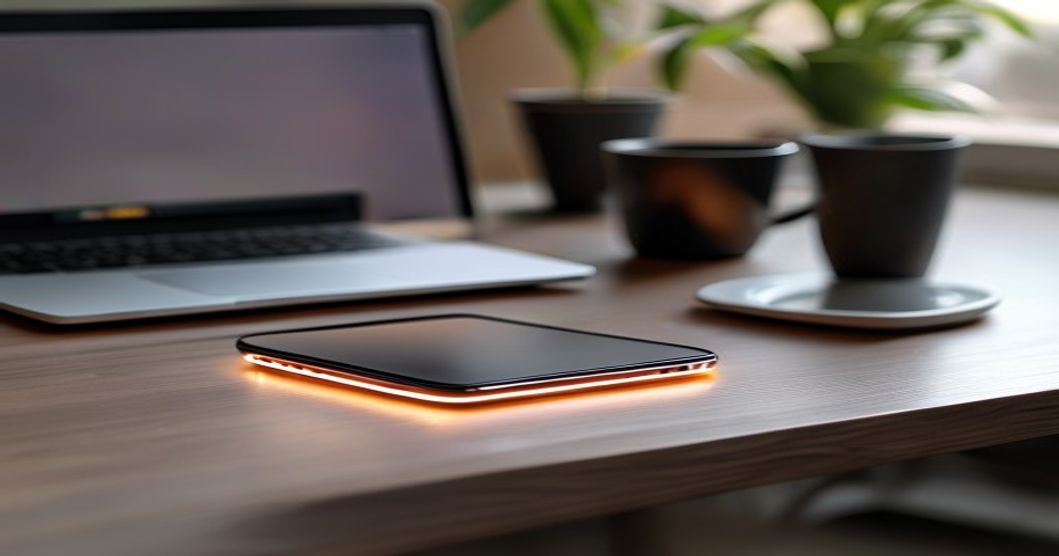
A slim, flat pad is perfect if you want wireless charging without fuss or desk real estate. It works under tables, in car mounts, or tucked into a work bag. Most affordable options deliver solid wireless charging in the 5-10W range for daily top-ups.
Premium Choice
For power users who charge multiple times daily, a dock with built-in cooling fans maintains optimal charging speeds even during long sessions. These typically support higher wattage output and include safety features like over-temperature protection.
Understanding Wireless Charging Standards
Before comparing specific models, it helps to know what’s under the hood. The vast majority of smartphones use Qi (pronounced “chee”), an open wireless charging standard maintained by the Wireless Power Consortium. Qi chargers come in a few power classes:
- 5W Standard: Works with older phones and budget models. Slower but reliable for overnight charging.
- 7.5-10W Fast Charging: The sweet spot for most modern iPhones and Android phones. Charges a full battery in approximately 2–4 hours depending on device and conditions.
- 15W+ Turbo: Found on Samsung Galaxy and OnePlus devices (when supported). Requires a high-output power adapter; otherwise, it may deliver lower wattage.
The newer Qi2 standard adds magnetic alignment rings, which ensure your phone is properly centered for improved energy transfer—no more trial-and-error placement. However, Qi2 chargers are still relatively new and typically cost more than standard Qi options.
Comparing Wireless Chargers: Key Specifications
| Charger Type | Power Output | Best For | Typical Price Range |
|---|---|---|---|
| Flat Pad | 5-10W | Budget buyers, travel, desk clutter reduction | Check current pricing |
| Standing Dock | 10-15W | Daily desk use, viewing while charging | Check current pricing |
| Multi-Device Stand | 10W per device | iPhone + Apple Watch + AirPods users | Check current pricing |
| Fast-Charge Dock (Active Cooling) | 15-20W | Power users, heavy charging schedules, gaming | Check current pricing |
| Car Mount Charger | 10W | Navigation, hands-free calls during commutes | Check current pricing |
Pros and Cons of Wireless Charging
- No cables to plug in—just place and go
- Reduces wear on lightning/USB-C ports
- Works through most phone cases
- Convenient for nightstand or desk setup
- Multi-device stands eliminate cable mess
- No risk of bent or damaged charging ports
- Generally slower than modern wired fast chargers
- Generates heat (minimal but worth noting)
- Requires a separate power adapter and outlet
- Not ideal for on-the-go charging
- Metal cases block wireless charging
- Placement must be precise on flat pads
Wireless Charger Features That Matter
Qi Certification
Always look for chargers certified by the Wireless Power Consortium. Certification ensures safe power transfer, foreign object detection (so your charger won’t fry metal objects), and compatibility across brands. Non-certified chargers carry greater risk and often charge slowly or unreliably.
Heat Management
Wireless charging generates more heat than wired charging due to energy loss in the magnetic field. Premium models include active cooling fans or use smart temperature monitoring to adjust power if the phone gets too warm. This is especially important if you charge your phone during gaming or video calls.
Non-Slip Surface
A rubberized or textured surface prevents your phone from sliding off the charger, especially on a standing dock. Glossy surfaces look premium but are slippery in practice.
LED Indicator
A subtle LED shows charging status without being distracting on a nightstand. Some chargers let you disable the light for sleep-friendly operation.
Power Adapter Quality
A good wireless charger includes a reliable power adapter. Budget chargers sometimes use adapters that don’t deliver the charger’s full rated output. Premium models ship with high-quality USB-C or wall-plug adapters that match the charger’s specifications.
Who Wireless Chargers Are For (and Who They’re Not)
Wireless Charging Is Right For You If:
- You charge your phone daily on a desk, nightstand, or dressing table
- You own multiple devices that need simultaneous charging
- Your phone’s charging port is loose or damaged
- You want to reduce cable clutter in your home or office
- You’re willing to accept slower charging for convenience
- You prefer the ritual of simply placing your phone down over plugging in
Wireless Charging Is Not Ideal If:
- You need the fastest charging during short breaks (use wired fast chargers instead)
- You’re frequently on the move and need portable charging (a power bank is better)
- You use a metal phone case or metal wallet that blocks the signal
- Your phone has a damaged battery that generates excessive heat
- Your workspace is cramped or has limited outlet access
- You play demanding games while charging and want to avoid thermal throttling
Wireless Chargers vs. Wired Fast Chargers
Wired charging is generally faster. Modern flagship phones support high-wattage wired fast charging, filling the battery in significantly less time than wireless. Wireless chargers typically deliver 15-20W and take several hours for a full charge. However, the trade-off is often worth it for users who charge overnight or at their desk—you never think about it, and you’re not plugging in multiple times per day.
For a complete mobile setup, consider pairing a wireless charger for your desk with a portable power bank (see our Best Power Bank 2024 guide) for on-the-go charging, and check out our Best Phone Case 2024 article to ensure your case doesn’t block wireless charging.
How to Choose the Right Wireless Charger
Step 1: Check Your Phone’s Charging Specs — Visit your phone manufacturer’s website to confirm the maximum wireless charging power supported. This tells you what to look for.
Step 2: Define Your Use Case — Will you charge at night, during work, or while gaming? Nighttime users can opt for budget pads; heavy users benefit from cooling docks.
Step 3: Measure Your Space — A standing dock is tall and visible; a flat pad fits under a desk or nightstand. Multi-device stands need more real estate but consolidate cables.
Step 4: Check the Power Adapter — Ensure the included adapter matches the charger’s wattage rating. Check before buying if the adapter is sold separately.
Step 5: Read User Reviews on Actual Heat/Speed — Generic specs don’t always match real-world performance. Look for reviews mentioning heat generation, speed consistency, and durability over months of use.
Top Wireless Charger Brands to Know
The wireless charging market is crowded, but several brands consistently deliver reliable performance. Established mobile accessory makers (like Anker, Belkin, and Spigen) offer solid Qi-certified chargers with good warranty support. Samsung’s official chargers work well with Galaxy devices but may be pricier. Various budget brands can work fine, but always verify Qi certification and read reviews for heat issues before committing.
Common Wireless Charging Mistakes to Avoid
- Buying a charger without confirming your phone supports it: Older phones and some budget models don’t have wireless charging. Check before buying.
- Pairing a charger with a weak power adapter: A charger rated for a certain wattage needs an appropriately-rated adapter. Match the specifications.
- Using metal cases or wallets: Metal blocks the magnetic field. Use cases designed to work with wireless charging, or remove the case while charging.
- Ignoring heat buildup: If your phone gets hot, the charger is typically adjusting output. This is normal but worth monitoring over time.
- Leaving your phone on the charger 24/7: Modern phones stop charging at 100%, but constant trickle-charging can affect battery health over time. Unplug when fully charged.
- Buying the cheapest option: Non-certified chargers pose overcharging and overheating risks. A few dollars more for a certified model is worth it.
The Future of Wireless Charging
Qi2 is rolling out and adds magnetic alignment, making placement more reliable and improving efficiency. Expect to see more phones and chargers support Qi2 in coming years. Some manufacturers are experimenting with longer-range wireless charging (charging from across a room), but these remain niche and expensive. For now, contact-based Qi and Qi2 chargers will dominate the market.
The best wireless charger for you depends on whether you prioritize convenience, speed, or budget. A flat Qi-certified pad is perfect for casual users; a 10-15W standing dock suits daily desk workers; and a multi-device stand is ideal for iPhone and Apple Watch owners. Whatever you choose, ensure it’s Qi-certified, matches your phone’s max charging power, and comes with a compatible power adapter. Once set up, you’ll wonder why you didn’t switch sooner—there’s something genuinely satisfying about dropping your phone on a pad and never thinking about cables again.
Shop Wireless Chargers on Amazon →