Best Phone Case with Quick Release Mount for Dashboard Car Rig Under $40: A No-Nonsense Setup Guide
Disclosure: This post may contain affiliate links. We may earn a commission on qualifying purchases at no extra cost to you.
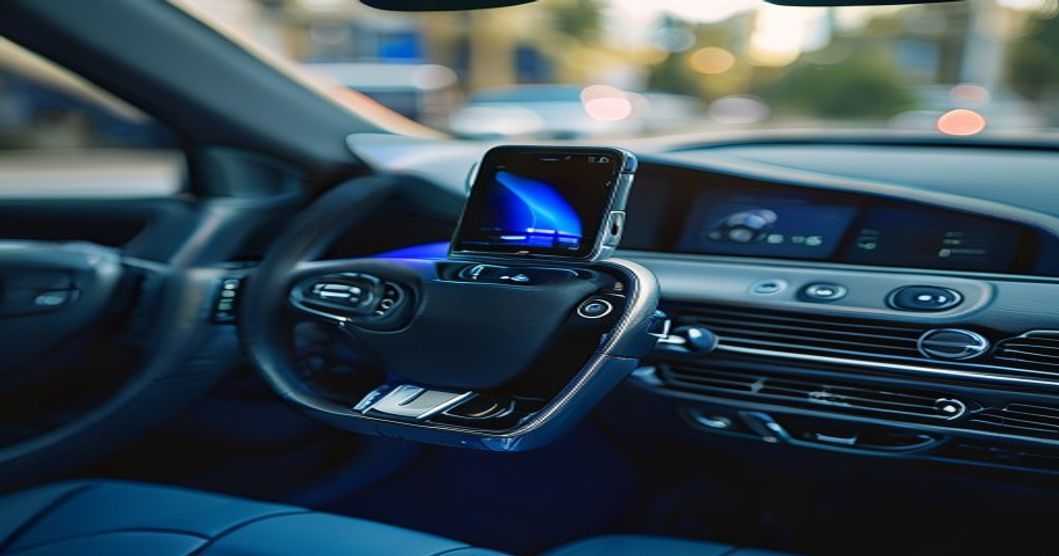
A solid dashboard phone rig under $40 starts with the right case—one that either has a built-in mounting slot or can handle a metal adhesive plate without sagging. Ball-socket mounts are stronger long-term; adhesive plates offer flexibility. Pick a case first, then match the mount type to it.
Your phone is a navigation device, hands-free caller, and music player all rolled into one compact brick. Sticky it to your dashboard with the wrong setup, and it’ll either block your view, fall off a pothole, or peel off your case after one summer. The trick to a solid car rig under $40 isn’t buying the cheapest plastic arm—it’s matching the right case to the right mounting plate.
I’ll walk you through the anatomy of these setups, show you the real trade-offs, and give you a checklist so you don’t end up with a phone bouncing around your cup holder.
Understanding Quick Release Mounting Systems
A quick release mount sounds fancy, but it’s simple: your phone case has a metal plate attached to it, and that plate snaps into a ball-socket or magnetic dock anchored to your dashboard. Pull the phone toward you, it releases. Drop it back, it locks. No unscrewing, no wrestling with rubber arms.
The “quick release” part means you can move your phone from car to desk to bedroom without buying a new mount for each spot. One car base, one MagSafe-style stand at home, same phone. That’s the appeal.
The Two Main Plate Systems
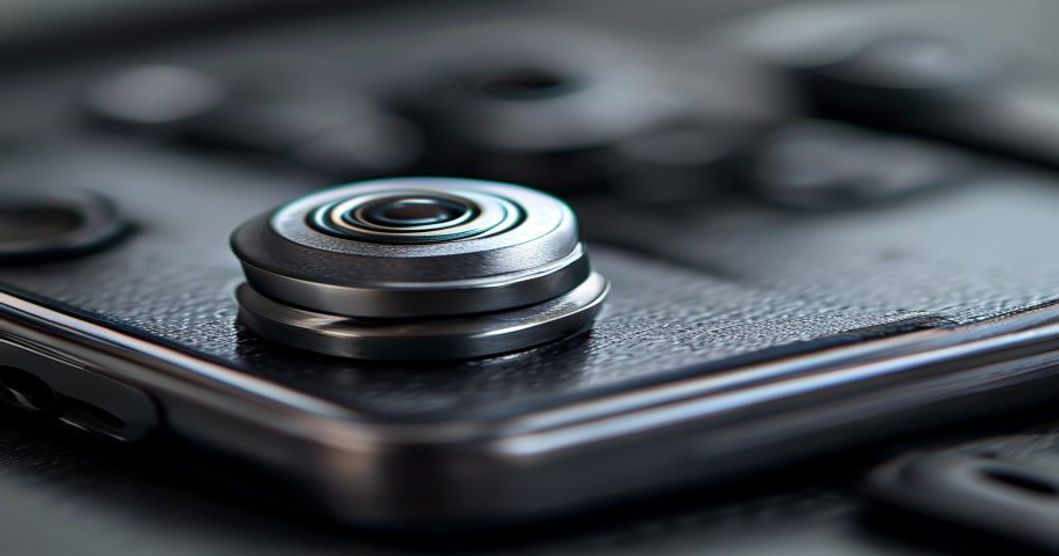
Ball-socket (threaded) plates: A metal stud screws into a dedicated slot on your case. This is the OEM standard for most rugged cases. The ball rotates 360 degrees, so you can tilt and angle freely. They’re rock-solid and last years. Downside: you need a case with the slot already built in, or you’re drilling your own (not fun).
Adhesive (stick-on) metal plates: A thin metal disc with 3M backing glues directly to the back of any case. Works with almost any case material. Removes cleanly (usually). The catch: adhesive weakens with heat and humidity. In a hot car parked in summer sun, plan on replacing it every six months. Also, the plate sits proud of the case, so it can peel if you toss your phone around.
The Case Side of the Equation
A quick release mount is only as good as the case it’s attached to. This is where people get it wrong. You can’t slap a $2 adhesive plate on a thin fabric case and expect it to hold a phone at eye level for two years.
What Makes a Case Mount-Ready?
Look for these specs when choosing a case:
- Material: Polycarbonate or TPU (thermoplastic polyurethane) shells are ideal. They’re rigid enough to support the mounting plate without flex. Fabric, silicone, or ultra-thin cases are weak candidates.
- Thickness: At least 1.5mm shell thickness. Anything thinner, and adhesive plates will peel or rotate under dashboard vibration. Check the product specs—manufacturers list this.
- Back surface: Flat and smooth. Textured or contoured backs don’t bond well with adhesive. If you’re using a ball-socket mount, the back needs to be rigid enough that the screw won’t crack the material when tightened.
- Weight capacity: Some rugged cases list this. You’re not putting much force on it (phone weighs 150–250 grams), but the case has to stay intact under dashboard vibration and acceleration/braking forces. A case rated for drops will handle this.
Slot-Equipped Cases vs. DIY Mounting
Premium rugged cases (OtterBox, Spigen Tough Armor, CAT phones) often ship with ball-socket slots pre-drilled. That’s your fastest path to a solid install. If your case doesn’t have one, you can ask the manufacturer if they sell a mounting plate retrofit—some do. Drilling your own is possible but risks cracking the back panel, so skip it unless you’re handy.
Mounting Methods and Trade-Offs
Once you’ve locked down the case, you choose how to anchor it to the dashboard. This is the physical part that makes or breaks reliability.
Dashboard Adhesive Pads (Dashboard-Side Mounting)
The base of your mount uses a 3M VHB (very high bond) adhesive pad. This is strong—stronger than you’d think. The key is prep: clean the dashboard with rubbing alcohol, let it dry completely, then press and hold for 30 seconds. Don’t rush it.
Lifespan: Two to three years in moderate climates. In cars that sit in 130°F heat daily, expect twelve to eighteen months. The adhesive creeps (softens) over time.
Removal: Heat the pad with a hair dryer on low, then peel slowly. You might need dental floss or a plastic scraper to lift the edge. It leaves residue; use adhesive remover or rubbing alcohol to clean it off.
Magnetic Mounting (Dashboard-Side)
Some car rigs use small neodymium magnets glued to the dashboard. The phone plate is metal, so it snaps into place magnetically. This is faster than ball-socket but less precise. Your phone can slide around if the magnets are weak or poorly aligned.
Reality check: Cheaper magnetic mounts (under $15) often use weak magnets. The phone feels secure until a pothole hits, then it rattles. Spend the extra $5–10 for a mount with strong magnets if you go this route.
Air Vent Clips (No Dashboard Adhesive)
If you don’t want to stick anything to your dashboard, a spring-loaded clip that grabs your air vent is an option. The case plate slides into a ball-socket on the clip. No adhesive, no residue.
Trade-off: These obstruct one vent, so your cabin won’t cool as evenly. Also, the clip puts pressure on the vent blades, which can crack cheap plastic vents over time. They’re best for rental cars or vehicles you’re not keeping long.
Building Your Under-$40 Setup: A Step-by-Step Framework
Here’s how to assemble a reliable rig without overspending:
- Start with the case. Buy a protective case (polycarbonate or TPU, at least 1.5mm thick) that suits your phone’s size and your personal protection level. Don’t cheap out here—a case is $15–30 and lasts two to three years. A bad case ruins the whole mount. Check if it has a pre-drilled ball-socket slot or flat enough back to accept adhesive.
- Choose your mounting plate type. If the case has a slot, buy a ball-socket plate (usually $5–12 as a separate part). If not, buy an adhesive metal plate ($3–8). Confirm compatibility with your phone model.
- Select the dashboard mount base. A quality ball-socket dash mount runs $10–25. Magnetic mounts are $8–15 if you want the strongest possible pull. Vent clips are $6–12. Your total should stay under $40 combined (case + plate + base). Budget accordingly.
- Prep the case and phone. If using a ball-socket plate, screw it in securely (don’t overtighten—that cracks backs). If using adhesive, clean the case back with alcohol, let it dry, then apply the plate. Press for 30 seconds and wait four hours before mounting anything on it.
- Install the base on your dashboard. Clean the dashboard spot with alcohol. Peel the adhesive backing on the mount base and press firmly for 30 seconds. Don’t drive for one hour—let it set.
- Attach your phone. Slide the plate into the socket (ball-mount) or snap it onto the magnetic dock (magnetic mount). Test the angle. Adjust the mount swivel until the phone is at eye level and doesn’t block your view of the road.
- Test under load. Take a short drive on bumpy roads. Listen for rattling. If the phone moves or feels loose, you either didn’t press the adhesive pad hard enough, or the case plate isn’t seated properly. Revisit steps 4 and 5.
If you’re installing a mount in a leased car or rental, use an air vent clip or a removable suction-cup base instead of permanent adhesive. Your deposit will thank you.
Real-World Durability: What Actually Fails
I’ve watched cheap mounts and mismatched cases fail in predictable ways. Here’s what breaks first:
Adhesive Creep (Most Common)
On a hot day, the 3M adhesive softens. Your phone mount starts tilting forward. By summer’s end, it’s hanging at 45 degrees. Solution: buy a replacement adhesive pad (they’re under $5) and re-stick the base. Or switch to a ball-socket base if the adhesive route keeps failing.
Plate Peel (Adhesive Plates Only)
The metal disc peels away from the case. This happens when the case back isn’t clean, or the adhesive has aged and weakened. When it starts to lift at the corner, don’t let it go—it’ll come off completely next time you hit a bump. Replace the plate immediately.
Case Crack (Poor Case Choice)
A thin or brittle case cracks around the mounting plate after a few months of dashboard vibration. This is why material matters. Polycarbonate and TPU last; hard plastic and cheap rubber don’t.
Magnetic Alignment Slip
Weak magnets don’t hold tightly. The phone slides in the mount. Get a stronger magnetic mount or go ball-socket instead.
Buying Checklist: What to Actually Look For
Before you buy, confirm these points:
- Case material (polycarbonate or TPU, not silicone or fabric).
- Case has either a pre-drilled ball-socket slot OR a flat, smooth back suitable for adhesive.
- Mount base has strong adhesive (3M VHB or equivalent) or a rock-solid mechanical clip.
- Magnetic mounts (if chosen) spec “N52 neodymium” or “strong magnetic pull”—not just “magnetic.”
- Total cost stays under $40 for case + plate + base combined.
- Mounting plate is compatible with your phone size (plate area scaled to weight).
- Returns are easy—if it doesn’t feel solid when installed, send it back and try a different combination.
Who This Setup Is For (and Who It’s Not)
Perfect fit: You drive daily. You need GPS or hands-free calling. You want a single phone stand that moves between car, desk, and home. You’re willing to spend 30 minutes on installation. You don’t mind replacing adhesive pads every year or two.
Not a fit: You park in extreme heat (130°F+) every single day year-round and need a zero-maintenance solution (adhesive will fail faster; go mechanical). You drive a leased car and can’t modify the dashboard (use an air vent clip). You switch phones constantly (buy a magnetic mount that works with any phone model, but expect weaker hold). You want a solution that lasts five years without any maintenance (ball-socket mounts are more durable than adhesive, but even they wear with time).
Comparison: What Costs More vs. What Lasts Longer
| Mount Type | Case Plate Type | Typical Cost | Lifespan | Maintenance |
|---|---|---|---|---|
| Ball-socket (adhesive dash base) | Threaded ball-socket | $22–40 | 2–3 years (dash base), indefinite (plate) | Replace dash adhesive pad yearly |
| Magnetic (adhesive dash base) | Metal adhesive disc | $16–32 | 1–2 years (dash base), 6–12 months (plate) | Replace plate every 6–9 months; replace dash pad yearly |
| Air vent clip | Ball-socket or adhesive | $10–25 | 2–4 years | None (mechanical wear only) |
| Suction cup (windshield) | Ball-socket | $15–30 | 1–3 years | Reseat suction cup every 6 months |
- Keeps both hands free while driving.
- One mount system works across desk, car, and home.
- Budget-friendly compared to built-in car navigation systems.
- Ball-socket type is rock-solid and lasts years.
- Easy to remove phone without tools (quick release).
- Wireless charging works with most thin cases.
- Adhesive fails in extreme heat; requires maintenance.
- Cheap cases don’t hold up; you need a good one.
- Installation takes time and mistakes are costly (residue, cracked case).
- Doesn’t work with ultra-slim cases or fabric sleeves.
- Magnetic mounts can interfere with some phone features (rare but possible).
- Air vent clips block one climate control vent.
The Hidden Cost of Cheap Mounts
A $5 mount with weak adhesive and a thin case plate will seem like a bargain until your phone slides off your dashboard at a stoplight or cracks when the plate peels away. You’ve then got a broken phone case, a failed mount, and you’re starting over. A solid $30–40 setup (case + plate + base) will outlast three cheap setups. Do the math.
Also, factor in the time cost. A botched installation—wrong adhesive prep, damaged case back, or a mount that’s loose—can ruin your whole driving experience for months. Take 20 minutes to do it right the first time.
Alternatives Worth Knowing About
MagSafe rings (iPhone-specific): If you have an iPhone 12 or newer, Apple’s MagSafe ecosystem includes car mounts designed to work with the built-in magnet. This eliminates the separate plate entirely. The downside: you’re locked into Apple’s ecosystem, and the mounts start at $25–30. Works great if you already have MagSafe accessories.
Dashboard phone pockets: A sticky-backed fabric or silicone pocket holds your phone without a mount system. Cheap, no adhesive failure, but your phone wobbles on bumps and you can’t rotate it freely.
Cup holder mounts: A rod-and-clamp system that grabs your cup holder. Frees up dashboard real estate but looks janky and blocks your cup holder. Only viable if you never use it.
Related Resources
If you’re also thinking about screen protection while the phone is mounted, I’ve written about the best phone cases with anti-glare screen protectors for outdoor driving—check that out here if you’re doing long road trips with screen visibility issues.
For those who game on their phone while stationary, I’ve also covered phone cases with built-in cooling systems that work with mounts if you’re interested in mobile gaming setup ideas.
And if you’re mounting a phone for night sky photography or stargazing, I have a deep-dive guide on phone accessories for stargazing that includes stable mounting approaches.
Your car phone rig lives or dies on case quality and proper adhesive prep. A ball-socket mount on a decent polycarbonate case will give you years of rock-solid service. Adhesive plates work but plan on replacing them every 6–12 months in heat climates. Spend the $30–40 upfront on a real setup instead of betting on a $12 mystery gadget from a marketplace. You’ll spend less total, and your phone won’t be bouncing around your dashboard.
Affiliate Disclosure: This article contains affiliate links. If you purchase through links provided, I may earn a commission at no additional cost to you. As an Amazon Associate I earn from qualifying purchases. I recommend only products and approaches I genuinely think deliver value for the price and use case described.